
What should I pay attention to when installing wireless LED dance floor
Installation Precautions for Wireless Magnetic LED Dance Floor:
The installation surface must be a flat, level, hard surface; and thick carpets should be avoided.
1. Pre-Installation Inspection
Before installation, first check that all goods and accessories are complete.
This includes the product, power supply, controller box, edge trims, and cables.

2. Cable Direction Identification
Once everything is ready, remove the product.
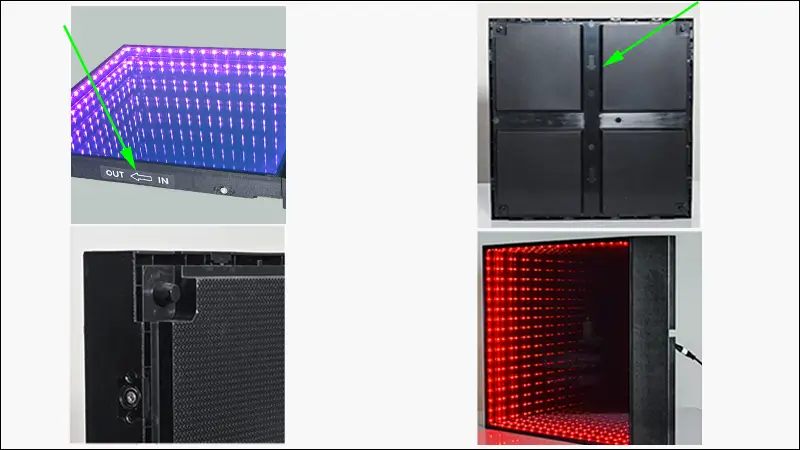
Pay close attention to identifying the cable entry and exit points.
There is an arrow on the bottom of the product casing indicating the cable exit point.
The side of the product also has IN→OUT markings;
IN indicates the cable entry direction,and OUT indicates the cable exit direction.
3. Power Connection and Assembly
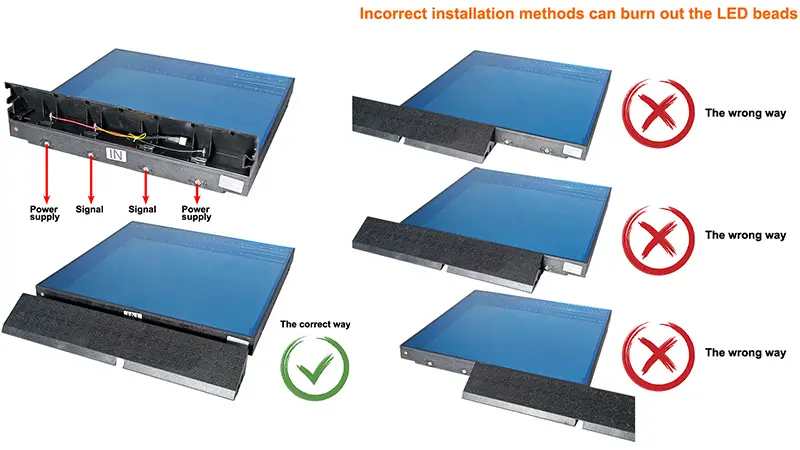
First, power on the power controller, then connect the conductive edge trim.
After powering on the conductive edge trim, assemble the product. It is crucial that the product and conductive edge trim are not misaligned (the four points should correspond), and that the input and output are not reversed.
Once the edge trim is assembled, ensure the ramp cables are properly organized. The conductive edge trim cables have designated exit points.
4. Installation Positioning & Handling
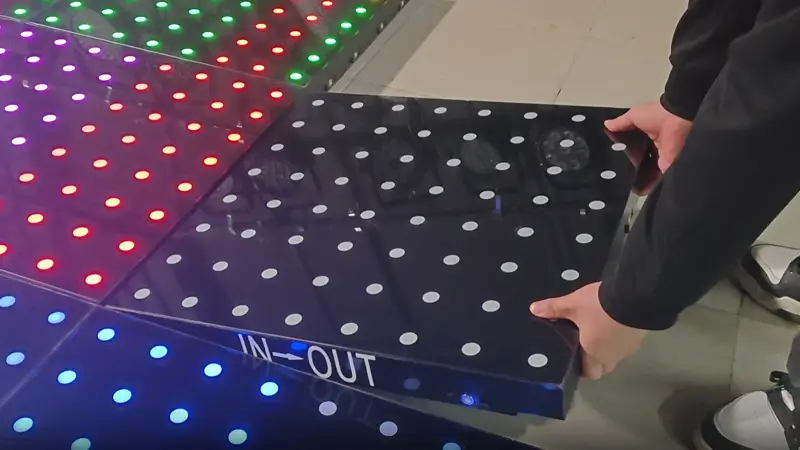
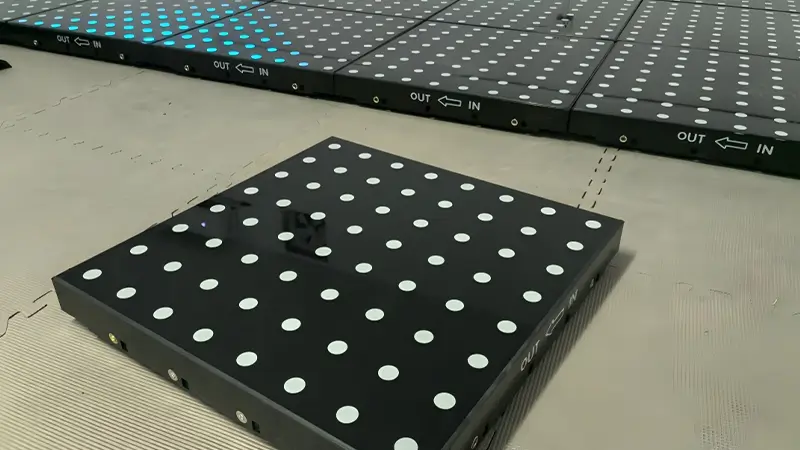
Arrange the product according to the direction of the entry and exit lines.
During installation, it's best to place the product at an angle.
Never place it flat and then forcefully push or slam it against the front panel, as this can easily damage the magnets.
5. Lighting Troubleshooting During Installation
During product installation, if one of the lights connected to a product fails to illuminate, it can be removed and reconnected to a different row of products.
If it illuminates correctly on that other row, installation can continue.
If it still fails to illuminate, set that product aside and install the other products first. Contact technical support at the end.
6. Cable Length & Signal Limitations
Finally, be careful not to use excessively long extension cables.
The distance between the power supply and the conductive edge trim should not exceed 7 meters. Exceeding 7 meters can cause voltage drop, resulting in weaker lighting on devices behind the main unit.
The controller should also not be more than 10 meters away; a Cat 5e network cable should be used for extension. Beyond 10 meters, signal transmission may not be guaranteed.

Copyright 2026 Foshan Grace Lighting Equipment CO.,Ltd, all rights reserved.